
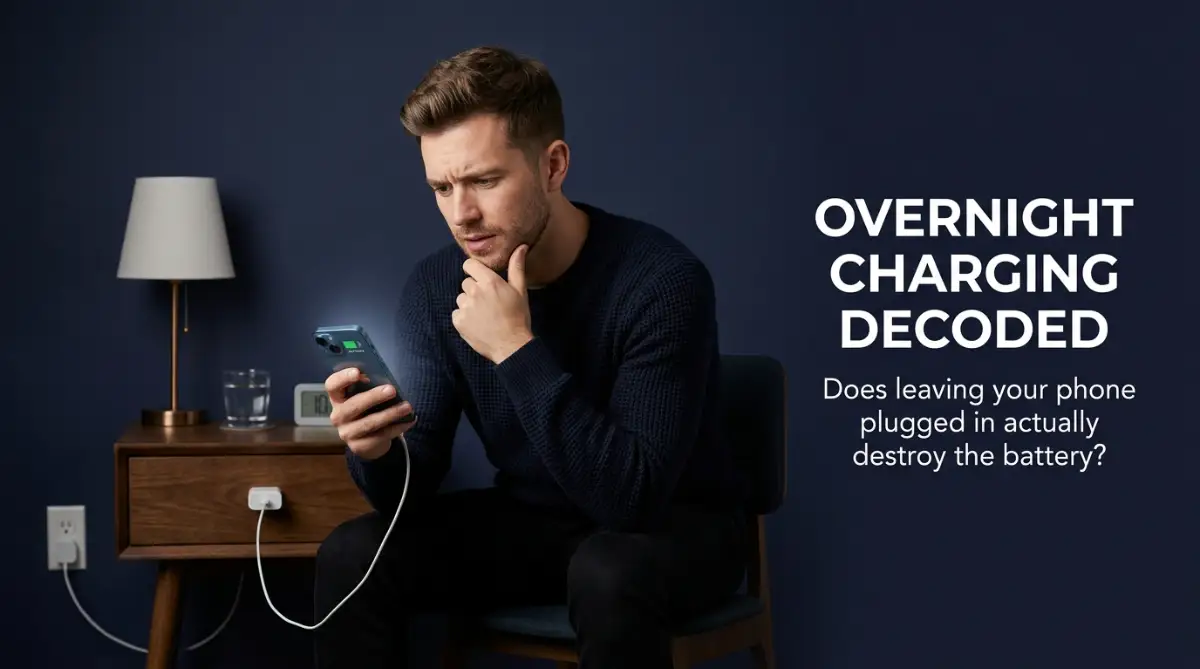
The Midnight Worry: Is Your Silent Nightstand Slowly Killing Your Phone?
We have all been there—you wake up in the middle of the night, glance at your phone glowing on the nightstand, and suddenly wonder if keeping it plugged in at 100% is quietly destroying the battery. I used to obsess over this exact worry, constantly plugging and unplugging my device just to feel safe. But the truth is, most of the charging advice we hear online is totally outdated and built on old battery myths.
You glance at your nightstand and see your expensive new smartphone glowing quietly, still plugged into the wall charger.
A sudden wave of guilt hits you because you remember reading a forum post warning that leaving it plugged in past a full charge will fry the battery.
You quickly unplug the cable in the dark, feeling anxious that you have just shaved a few weeks off your phone's lifespan.
This daily anxiety over battery percentages is incredibly exhausting for modern device owners.
We spend hundreds of dollars on our pocket companions, only to worry constantly about how we are powering them.
The conflicting advice on the internet only makes this worry worse.
Some blogs tell you to never charge your phone past eighty percent, while others say modern devices are smart enough to handle anything.
Let us decode the actual science of modern power systems so you can finally put this worry to rest.

Key Takeaways: Protecting Your Battery Fast
- Overcharging is a Myth: Your phone has a built-in smart chip that automatically blocks incoming power the second your battery hits 100%.
- Heat is the Real Enemy: Leaving your phone plugged in under a pillow or inside a thick case traps heat, which slowly burns out the internal chemicals.
- The 40-80% Sweet Spot: Lithium-ion batteries last significantly longer if you keep them lightly charged throughout the day instead of letting them die completely.
- Beware of Cheap Chargers: Five-dollar gas station chargers lack the necessary safety chips to stabilize power, putting your premium device at major risk.
Unpacking the Science of Modern Power: How Lithium-Ion Actually Behaves
To understand if overnight charging is safe, we must look at how the lithium-ion battery in your phone actually operates.
A modern smartphone battery does not act like an empty bucket that you fill with water.
If you keep pouring water into a full bucket, it overflows; but a battery operates on chemical reactions, not physical volume.
Your phone contains a highly sophisticated system of protective circuits and chips.
Let us break down the exact tech-supported mechanisms that manage how your phone receives electricity.
Want to see exactly how your phone's smart chips block extra power to protect your battery? Watch this quick, easy-to-understand breakdown before reading our important heat-management tips below!
Step A: Understanding the PMIC Gatekeeper (The Smart Switch)
The most important component in this process is the Power Management Integrated Circuit (PMIC).
This tiny chip acts as a highly strict gatekeeper between your wall outlet and the battery cells.
When you plug your phone in, the PMIC allows the maximum safe current to flow into the device, charging it rapidly.
However, the moment your battery capacity hits one hundred percent, the PMIC completely shuts off the incoming current.
Your phone does not continue to receive power; instead, it starts running directly off the electricity from your wall adapter.
This means that "overcharging" your phone is physically impossible because the smart switch blocks any extra power.
Expert Insight: The Trickle Charge Phase
You might be wondering what happens after the PMIC cuts the power. Modern smartphones switch to a brilliant system called "trickle charging." When your phone naturally drops to 99% while you sleep, the charger sends a tiny pulse of electricity just to bump it back to 100%, and then immediately shuts off again. This clever cycle prevents the battery from overflowing with continuous voltage.
Step B: Taming the Silent Fire (Managing Heat)
While your phone will not explode from overcharging, leaving it plugged in overnight does create a different problem: heat.

Batteries are made of sensitive chemical compounds that degrade much faster when they are exposed to high temperatures.
When your phone sits at one hundred percent on your charger, it generates a small amount of ambient heat.
If you leave your phone under your pillow or inside a thick case while charging overnight, that heat cannot escape.
This trapped warmth acts as a slow, silent fire that wears down the chemical layers inside your battery.
To prevent this, always charge your phone on a flat, hard surface like a nightstand or desk.
Myth vs. Reality: Smartphone Battery Habits
Step C: The Sweet Spot of Voltage Stress (The 80% Rule)
To keep your battery healthy for several years, you must understand the concept of voltage stress.
Lithium-ion batteries are happiest when their charge level is kept between forty and eighty percent.
When a battery is fully drained to zero or fully charged to one hundred, the internal chemical structure experiences high physical tension.
Think of your battery like a rubber band.
Stretching it all the way out (one hundred percent) or letting it go completely slack (zero percent) places the most wear on the material.
Keeping it lightly stretched in the middle (forty to eighty percent) ensures the longest possible life for the rubber.
To help you manage this, many modern phone software systems now include an "Optimized Battery Charging" feature.
This smart software learns your daily sleep schedule.
It will charge your phone to eighty percent quickly, pause the charge overnight, and finish the final twenty percent right before you wake up.
Comparison: Overnight Habits vs. Ideal Charging Habits
To see the long-term difference, let us compare standard charging habits with scientifically backed habits:
Pro Tip: Avoid Using Your Phone While Fast Charging
Using your phone to play graphics-heavy games or watch high-resolution videos while it is fast-charging is incredibly damaging. This dual activity generates massive heat from both the processor and the charging current simultaneously. This intense thermal stress is the single fastest way to degrade your phone's battery health.
We have established the technical foundation of how modern smartphone batteries receive power and handle overnight charging.
In the next part, we will explore advanced battery-saving tips, common habits that secretly destroy your device, and a final checklist to maximize your phone's health.
Advanced Strategies to Maximize Your Phone's Battery Lifespan
If you want to protect your expensive hardware over the long term, you must move past basic tips and use pro-level habits.
These advanced strategies are designed to reduce the physical stress on your battery's internal chemicals without making your daily life feel restricted.
The first major secret is to actively use the built-in software limits on your smartphone.
Most modern operating systems now allow you to set a hard limit on your battery capacity.
You can configure your settings so that your phone pauses its power intake the exact moment it hits eighty percent [3].
According to research studies published by Battery University guides on lithium-ion lifecycle, preventing your battery from sitting at high voltage levels is the most effective way to extend its lifespan.
By keeping your battery below this eighty percent threshold, you can actually double the number of charge cycles your device can handle before degrading.
It is a simple software adjustment that yields massive long-term results for your device's overall health.
The Thermal Shield: Managing Ambient Temperature
The second pro-level tip is to pay close attention to where and how you place your phone while it is plugged in.
Fast chargers push a massive amount of electric current, which naturally generates heat inside the battery casing.
If your phone is inside a thick plastic or leather case, that heat cannot escape into the air.
The heat gets trapped inside, raising the temperature of the internal chemicals to dangerous levels.
Always remove your phone case before connecting it to a high-speed fast charger.
Additionally, never place your charging phone on soft surfaces like a bed, sofa, or blanket.
Soft materials trap heat like an insulating jacket, while hard wooden or metal desks help conduct the warmth away from your device.
Scientific trials conducted by Argonne National Laboratory studies on lithium-ion degradation show that thermal stress ruins the chemical structure of the anode and cathode faster than anything else.
Taking a few seconds to remove your phone case is an easy way to shield your hardware from this silent decay.
For months, I used to charge my phone inside its thick rubber protective case, ignoring how hot it got to the touch. Once I started taking the case off and charging on a hard wooden table, my phone stopped getting warm and my battery health stabilized. Trust me, heat is your phone's worst enemy, and this simple habit shift saved my device's life.
Establishing the Micro-Charging Habit
Many users believe that they must always charge their phone in one continuous block, usually overnight.
This habit actually causes your battery to spend several hours in a state of high tension.
Instead, try adopting the micro-charging habit throughout your daily routine.
Whenever you are sitting at your work desk or driving your car, plug your phone in for ten or fifteen minutes.
These short, shallow charging bursts keep your battery in its comfortable forty-to-eighty percent sweet spot.
It is far better for your device than letting it drain all the way down and then forcing it to stay at one hundred percent all night.
Building these small, positive habits requires a highly organized and consistent approach.
This is very similar to how you would go about building an emergency savings cushion from scratch to protect your household budget.
Small, daily contributions add up over time, creating a powerful safety shield that keeps your financial and digital life running smoothly.
If you store your sensitive documents online, make sure you understand why free cloud drives threaten your privacy before leaving your files exposed.
Using secure, private systems is a necessary step to keeping your entire digital footprint completely safe.

Hidden Hazards: Overlooked Charging Habits That Quietly Wear Down Your Device
Even the most dedicated tech owners can stumble and damage their hardware by falling into common, hidden traps.
Lenders and companies often use clever marketing terms to sell cheap accessories that secretly ruin your premium devices.
The most dangerous pitfall is using cheap, unvetted third-party wall adapters and charging cables.
A high-quality charger contains advanced circuitry to stabilize the incoming voltage and prevent sudden spikes.
A cheap charger, however, often allows unstable, fluctuating current to flow directly into your sensitive battery cells.
This unstable current creates micro-shocks that slowly destroy the chemical layers inside your phone.
Many cheap accessories advertise "smart chips" but lack standard protective components.
To understand why this marketing is so misleading, you can read our guide on understanding artificial neural networks simply.
Quick Hardware Checklist: Spotting a Fake Charger
If you are worried about your current wall adapter, here are three simple ways I check if a charger is safe:
- Weight Test: Real chargers feel solid because they contain heavy safety transformers. Fake chargers usually feel extremely light and hollow.
- The Squeeze Test: The plastic casing of a cheap charger will often bend or creak when you squeeze it tightly.
- Certification Marks: Look for official safety symbols like 'UL', 'CE', or 'RoHS' printed clearly on the back of the plug.
This guide explains how complex decision-making systems work, showing that a truly smart charging system requires high-end physical hardware, not just a cheap label.
Never trust your expensive daily companion to a five-dollar charger bought from a gas station.
The Low-Voltage Strain: Letting Your Phone Hit Zero Percent
Another common mistake is letting your phone's battery drain all the way to zero percent before plugging it back in.
Many people believe this "cycles" the battery and keeps it healthy over the long run.
In reality, letting a lithium-ion battery fall to absolute zero creates extreme low-voltage strain on the chemical cells.
If a battery remains at zero percent for too long, it can fall into a deep discharge state where it can never hold a charge again.
Try to plug your phone in the exact moment your battery level drops to twenty percent.
This prevents the chemical layers from experiencing the physical tension that occurs at low voltages.
Playing Heavy Games While Charging
Using your phone to play graphics-intensive games or stream high-definition videos while it is fast-charging is incredibly damaging.
This dual activity forces your device to generate massive heat from two separate sources at the exact same time.
The phone's processor runs hot to handle the game, while the battery runs hot to receive the high-speed electric current.
This intense thermal stress is the single fastest way to degrade your phone's long-term battery health.
If you need to use your phone for any heavy work, first stop charging and finish the task, then plug it back in to charge safely. Remember, do not use your phone while it is charging.
Your Daily Charging Roadmap: Action Plan for Tomorrow
Achieving a healthy, long-lasting smartphone battery does not require you to constantly worry about percentages.
It is built on a series of simple, practical choices that protect your hardware from unnecessary wear.
Your Immediate Action Checklist
Here is a simple system you can implement tomorrow morning to start protecting your phone's battery health:
- Enable optimized charging: Open your phone's battery settings and turn on the "Optimized Battery Charging" or "80% Limit" feature.
- Audit your charging space: Choose a hard, flat wooden or metal desk as your primary charging location instead of your bed.
- Check your accessories: Inspect your wall adapters and cables to ensure they are certified by your phone's manufacturer.
- Remove thick cases: Make a habit of taking off your heavy phone case before connecting your device to a fast charger.
- Establish micro-charges: Plug your phone in for ten minutes while sitting at your desk instead of waiting for it to drain completely.
By taking these small, deliberate steps, you are actively building a strong wall of protection around your expensive hardware.
You will feel a deep sense of confidence knowing that your daily companion is safe from silent chemical decay.
Taking charge of your technology is an indispensable step to building a peaceful, secure life.
Configure your charging settings tomorrow morning, protect your keys, and keep your sensitive devices off unvetted power sources.
Breaking my old habits and protecting my phone's battery took some practice, but the peace of mind is completely worth it. If I can make these simple changes to protect my daily companion, you can easily do it too starting tonight. Let us take action together, protect our hardware, and save ourselves from expensive replacement costs.
Disclaimer
This article is for educational, informational, and general technical awareness purposes only and should not be taken as professional engineering, legal, or professional tech repair advice. Hardware requirements and battery configurations vary greatly, and you should consult with a certified device technician before making major changes to your charging habits or hardware accessories.