I Clicked "I Agree" Without Reading, and It Cost Me More Than Time
The charge hit my card three weeks after I signed up for a free photo-editing app and tapped "I Agree" in eight seconds flat.
The cancel steps had been sitting in paragraph nine the whole time, and I never saw them. It was a small, annoying lesson, but it changed how I sign up for everything. Here is the simple method I use now, and you can borrow it today.
Let me ask you something, and be honest. When was the last time you read a full Terms of Service page from the first line to the last, without giving up halfway? If the answer is "never," you are in very big company, and there is no shame in it.
Most of us click Agree because we are tired, busy, or just want the app to open right now. The text looks like a wall of legal fog, and nobody has a free hour to fight through it. So we cross our fingers and hope nothing bad is hiding in there, even though a small worry keeps tapping us on the shoulder.
That worry is real, and it adds up. You wonder who can see your photos, why a charge showed up on your card, or whether you just handed over the rights to your own writing. Over time, that quiet doubt steals a little peace of mind, and it makes you feel powerless over accounts that are supposed to belong to you.
Your 60-Second Cheat Sheet
- Search, don't read. Use Ctrl+F for words like "renew," "share," and "cancel," and read only the sentences around them.
- Check the money first. Find the trial end date and the cancel steps before you enter a card.
- Keep proof. Save a screenshot or PDF of the terms on the day you sign up.
- Match effort to risk. A simple free tool needs a quick skim, but anything tied to your income, home, or personal files deserves a slow read.
The Two-Minute Method for Understanding Any Terms of Service
Here is the good news. You do not have to read every word to protect yourself.
Think about signing a lease on an apartment. You do not admire the font, you look for the rent, the deposit, and the rules about leaving early. Terms of Service work the same way, and the important parts are always a small slice of the whole.
Start With the Map, Not the Mountain
Before you read anything, look at the headings on the page. Most agreements are split into labeled sections, and those labels tell you where the real information lives.
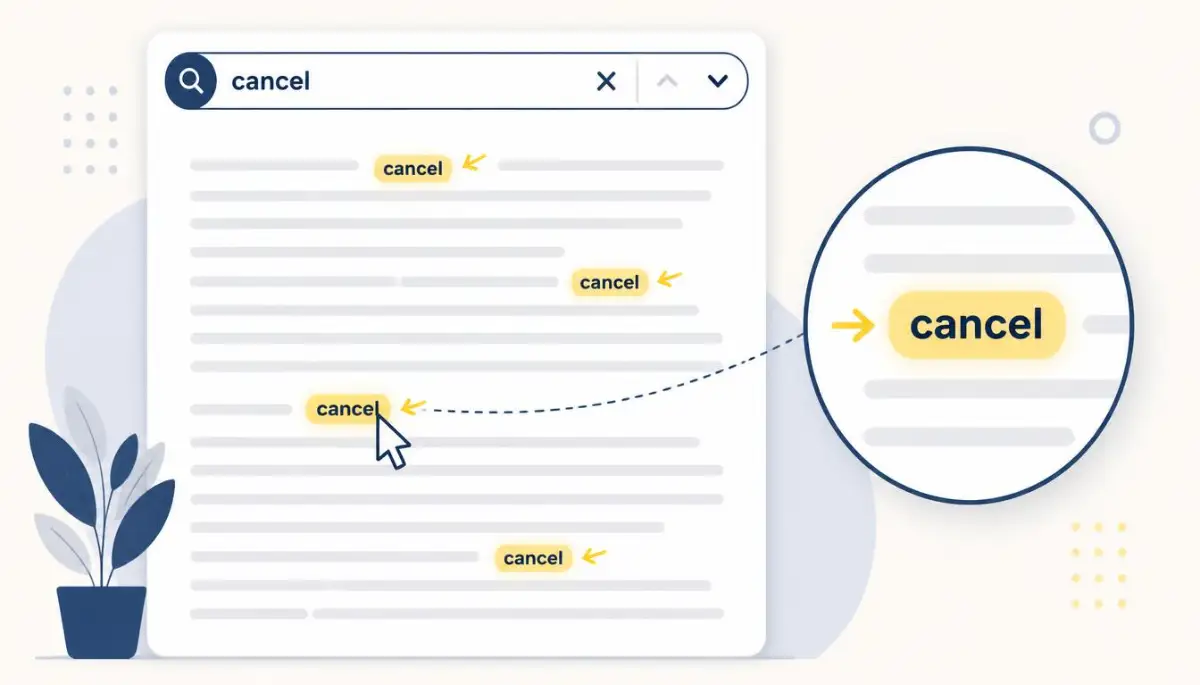
Next, use your browser's Find tool (the search box you open with Ctrl+F or Command+F on a computer). Type a single word like "cancel" or "share" and jump straight to the paragraphs that mention it. This turns a wall of text into a set of small, readable chunks.
Researchers who study online consent have pointed out for years that almost nobody reads these agreements in full. That is not a personal failing. It is a sign the documents are written for lawyers first and readers second, so a smart skim is a fair response.
A Quick Refresher on What Terms of Service Mean
Want a quick refresher on what Terms of Service actually mean? Watch this short guide, then come back for the checklist below.
The Six Spots Worth Your Attention
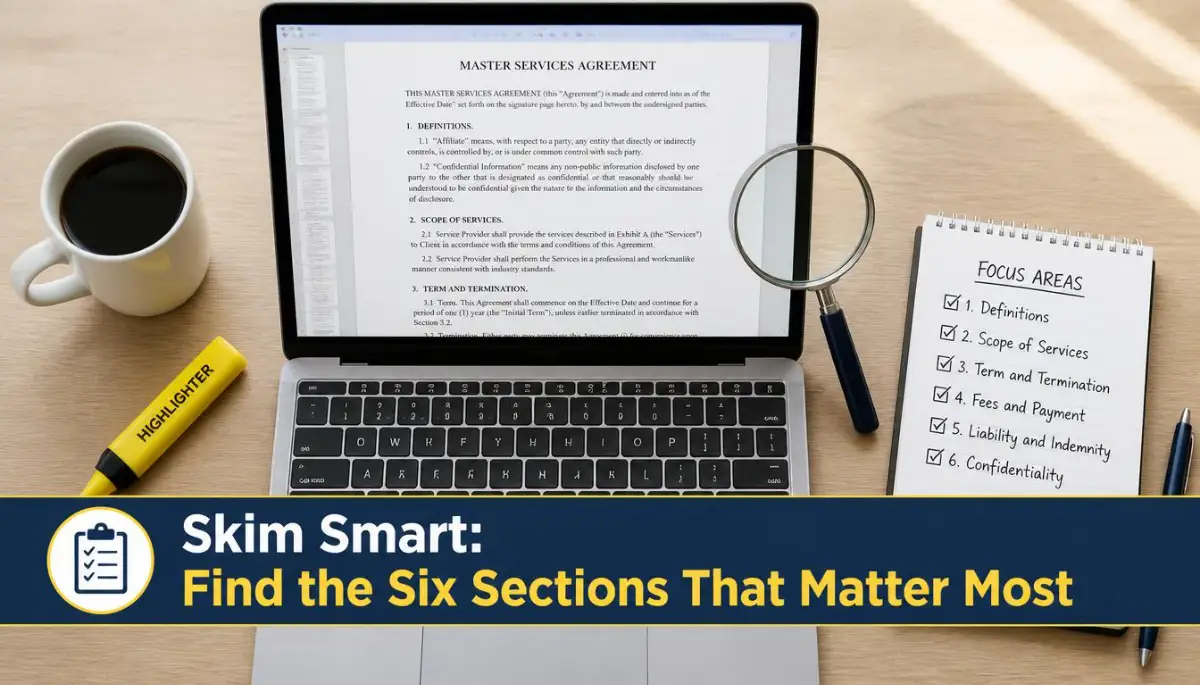 You can skip most of the legal filler if you check these six areas. I go through them in this order every time, and it rarely takes more than a couple of minutes.
1. What Happens to Your Data
Look for words like "share," "sell," "partners," and "third parties." These paragraphs explain who else can receive your information.
If the text says your data may be shared with "affiliates" or "partners" and never says who they are, take note. You do not have to panic, but you should know it before you sign up.
Legal Words, Translated
| You see this word | It usually means |
|---|---|
| Affiliates | Companies owned by, or closely linked to, the service you signed up for |
| Third parties | Outside companies that are not the service itself |
| Aggregated data | Information mixed together so it does not point to one person |
2. Free Trials, Renewals, and Cancelling
Search for "renew," "trial," and "cancel." This is the section that caught me in the photo app story.
Check three things:
- When does the free period end?
- Does the plan renew on its own?
- How do you cancel, and by when?
3. Who Owns What You Upload
If you post photos, writing, or videos, look for the word "license." Many services say you keep ownership, but you give them permission to display or use your content.
The details matter. A short license to show your photo on the site is very different from a permanent license to use it anywhere.
4. How Disputes Are Handled
Search for "arbitration" and "class action." Some agreements say that if you have a problem, you must settle it privately instead of in court.
That is not always bad, but it changes your options. It is worth knowing before something goes wrong, not after.
Quick Fact: Some agreements let you opt out of private arbitration if you act within a short window after signing up, often around 30 days. Look for the phrase "opt out" near the arbitration paragraph. I missed that window on one service by about a week, and I only found the line when I searched for it later.
5. Changes to the Rules
Look for "we may update these terms." Most services reserve the right to change the rules, and some say that continuing to use the service counts as accepting the new version.
If the terms say they will notify you by email, keep that email address active. Otherwise, changes can slip by unnoticed.
6. Closing or Removing Your Account
Search for "terminate" and "suspend." This tells you when the company can shut your account and what happens to your content afterward.
If you store important files there, this section deserves a slow read. Keep a backup somewhere you control.
A Pro Tip From My Own Mistake
After the photo app mess, I started keeping a tiny note on my phone called "Agreement Notes." Whenever I sign up for something new, I write down the trial end date and the cancel steps in one line. I have not been surprised by a surprise charge since, and it takes me about thirty seconds.
Myth vs. Reality
Some beliefs about these agreements keep people from reading them at all. Here are a few worth clearing up.
| Myth | Reality |
|---|---|
| "It's all the same boilerplate, so why bother?" | Many parts are standard, but the sections on data, renewals, and disputes often differ from service to service. |
| "If I don't understand it, I can't do anything." | You can search for key words and read only the sentences around them. |
| "Clicking Agree means I have no rights at all." | Consumer laws still apply in many places, and some terms may not hold up if they are unfair. |
| "Only lawyers can read this stuff." | A patient reader with a checklist can spot most of the important points. |
Skim or Read Closely? A Quick Guide
Not every sign-up deserves the same effort. Match your reading time to what is at stake.
| Situation | Best Approach |
|---|---|
| A simple game or free tool with no payment or personal details | Quick skim of data and renewal sections |
| An account that stores your photos, documents, or contacts | Read data, ownership, and account closing sections carefully |
| Anything that asks for a payment method or starts a trial | Read renewal and cancellation terms before you click |
| Agreements tied to work, housing, or big life decisions | Read closely and consider asking a qualified professional |
A Real-Life Walkthrough
Picture a woman named Maya who wants to try a fitness tracking app. The app asks for her name, email, and a payment method for a seven-day trial.
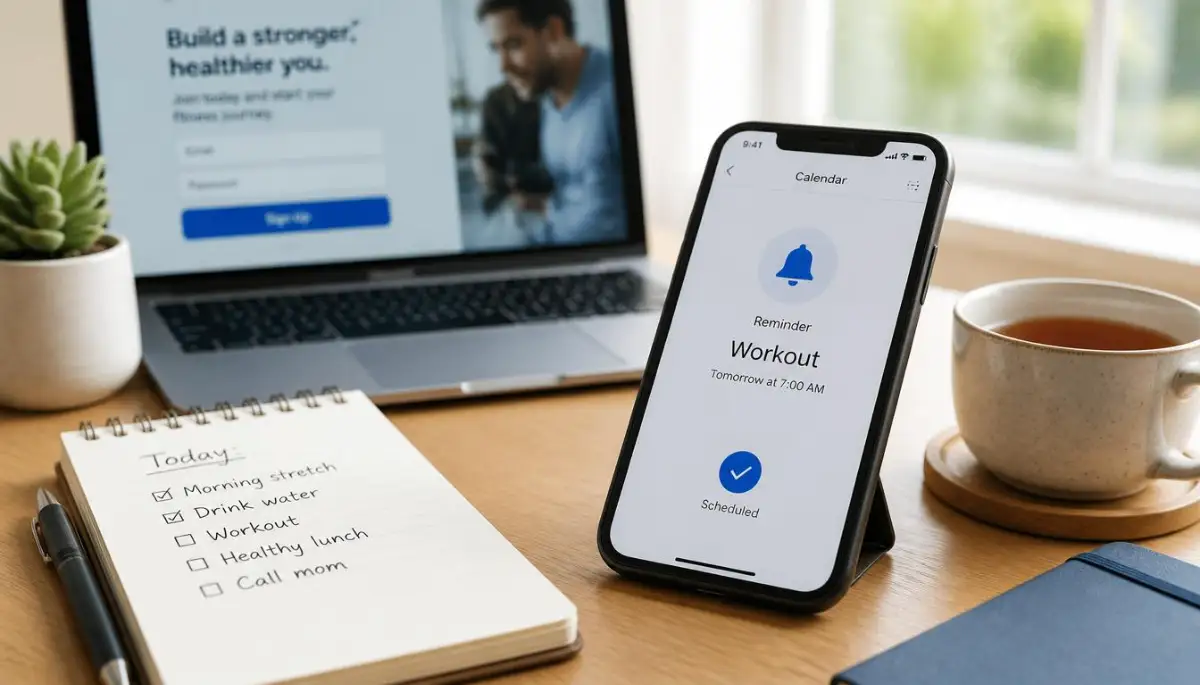
She opens the terms and searches for "trial." In one paragraph, she learns the trial turns into a paid plan on day eight unless she cancels in the settings. She sets a phone reminder for day six.
Then she searches "share" and finds that anonymous activity data may be passed to research partners. She decides she is comfortable with that, and she signs up. The whole check took under three minutes, and she knew exactly what she was agreeing to.
Your Quick Checklist Before You Click Agree
Keep this short list handy, and run through it whenever you sign up for something new:
- Find the headings and scan them first.
- Search for key words like "share," "renew," "cancel," "license," and "terminate."
- Write down any trial end date and cancel steps.
- Check whether your content stays yours.
- Note how the company will tell you about changes.
- Keep a backup of anything important you upload.
Beyond the Basics: Habits That Keep You Protected After You Click Agree
Reading the terms once is a great start. Staying safe over months and years takes a few small habits.
Think of it like locking your front door. You don't lock it once and never think about it again. You make it part of your routine.
Save a Copy the Day You Sign Up
Companies change their terms all the time, and the old version often vanishes from the site. If you ever need to prove what you agreed to, you will be glad you kept a copy.
Take a screenshot, or use your browser's "Print to PDF" option on the terms page. Save it in a folder called "Sign-Up Copies" with the company name and the month. It takes twenty seconds, and it can save you a long email fight later.
Check the "Last Updated" Line First
Near the top or bottom of most agreements, you will find a date showing when the text last changed. A very recent date on a service you have used for years is a hint that something new is in there.
When I spot a fresh date, I search for "changes" or "new" and read only those paragraphs. It's like checking the "what's new" list before updating an app.
Read the Definitions Like a Detective
Many agreements have a short list of defined words near the start. This is where a company explains what it means by "personal information," "content," or "services."
A tiny difference here changes everything. If "personal information" only means your name and email, your location history might not be covered at all. The definition decides how far every other rule reaches.
Get a Second Opinion From a Community Source
You don't have to be the only reader. A community project called Terms of Service; Didn't Read publishes plain-language ratings and summaries of popular services' terms. It's a handy second opinion before you sign up for something new.
Treat it as a starting point, not the final word. Summaries can lag behind updates, so still run your own key-word search.
Set a Simple Quarterly Review
Once every three months, spend ten minutes on your most-used accounts. Check three things: which permissions are switched on, which marketing boxes are ticked, and whether any paid plan is still running.
Here is a quick scenario. Daniel did this on a quiet Sunday and found a language app charging him monthly for a plan he stopped using in the summer. He cancelled in two minutes and saved himself months of charges.
Ask for Your Data When You Need To
Many services let you download a copy of your data or request deletion, especially if you live somewhere with strong privacy laws. Look for links named "Privacy," "Data request," or "Delete my account."
If a service makes this easy, that's a good sign. If you can't find any way to contact them about your data, think twice before uploading anything personal.
Keep a Separate Email for Sign-Ups
I use one email address just for sign-ups and free trials. My main inbox stays clean, and I can spot renewal notices in one place instead of hunting through hundreds of messages.

The Slip-Ups That Turn One Small Click Into a Big Headache
Let me tell you about a friend I'll call Priya. She signed up for an online course, skipped the fine print, and found out six months later that her "one-time" purchase came with a yearly renewal.
She felt embarrassed and a little angry at herself. That feeling is common, and it usually comes from a handful of mistakes that almost all of us make at least once.
Believing "Free" Always Means Free
A free trial is often a doorway to a paid plan. The trick is that the switch happens quietly, sometimes on day seven and sometimes on day thirty.
The U.S. Federal Trade Commission explains how free trial offers can lead to charges you didn't expect. Always find the trial end date and the cancel steps before you enter a card. If you skip this, small monthly charges can drain your account for months without you noticing.
Trusting the "I Have Read and Understood" Box
That little checkbox feels like a formality, but it is treated as your promise. Most people tick it without reading, and they are not alone. A large national survey by the Pew Research Center found that only a small share of adults say they always read privacy policies before agreeing.
The problem is that the box still counts. When something goes wrong, "I didn't read it" rarely helps you.
Believing a Promise That Isn't in Writing
Here is a mistake that hurts more than people expect. A support agent says over the phone, "Don't worry, you can cancel anytime," and you take their word for it.
Written terms usually carry more weight than a friendly chat. If you're curious how spoken promises are treated, this piece on whether a verbal agreement holds up in a legal dispute is worth a read. When someone makes you a promise, ask them to send it by email.
Forgetting You May Have Given Up the Right to Sue
Some agreements say disputes must go to private arbitration instead of court. It sounds boring, but it changes what you can do when a problem gets serious.
The Consumer Financial Protection Bureau has published a detailed arbitration study that explains how these clauses work in practice. You don't need to become an expert. You only need to notice the word before you sign.
Treating Business Terms Like Personal Ones
If you run a small business or freelance, the stakes are higher. One tucked-away sentence can lock you into long notice periods, penalty fees, or automatic renewals.
I once watched a shop owner lose weeks of profit because of a single line she never saw. If you want a real example, read about the silent contract clause that could cost you your entire business. Any agreement tied to your income deserves a slow, careful read.
Ignoring the Update Emails
"We've updated our terms" emails look like junk, so we delete them. But those emails are often the only warning you get before new rules take effect.
Give each one ten seconds. Look for the summary of changes, and if it mentions payments, data, or cancellations, read those lines.
Giving Up Halfway Through
You start reading, get bored by page two, and just click Agree. I have done this more times than I like to admit.
Don't quit. Switch to the key-word search instead, and read only the sentences around each word.
Quick Do's and Don'ts
Do:
- Save a copy of the terms when you sign up
- Set a reminder before any trial ends
- Get promises in writing
- Read update emails when they mention money or data
Don't:
- Assume "free" has no strings attached
- Take someone's spoken promise as a contract
- Tick pre-checked marketing boxes without looking
- Upload anything important without checking how you can get it back
You're Harder to Surprise Now: Your Action Plan for Tomorrow
Let's pull it together. You now know how to skim smartly, protect yourself over time, and dodge the most common traps.
You don't need a law degree or a free afternoon. You need a few key words, a short note on your phone, and the habit of pausing before you click.
Here is what I'd do tomorrow:
- Pick one account you use daily and open its privacy and billing settings
- Search its terms for "renew" and "share"
- Create a "Sign-Up Copies" folder and save the terms for your next new account
- Set a quarterly reminder to review your subscriptions and permissions
I used to feel helpless every time that "I Agree" box popped up. Now I feel calm, because I know exactly where to look and it takes me only a couple of minutes. Try it once this week, and I promise it will feel a lot less scary than you think.
Quick Answers to Questions People Ask About Terms of Service
Am I still bound by terms I never read?
In most cases, yes. Clicking "Agree" is usually treated as accepting the terms, whether or not you read them. That said, unfair or hidden terms may not always be enforceable, and rules differ by country.
Can a company change its terms without asking me?
Often they can, as long as the agreement lets them and they give you notice. Many services say that continuing to use the product counts as accepting the new version. That's why it pays to keep your email active and skim update notices.
How long should it take to check a set of terms?
For most everyday apps, about two to five minutes is enough if you search for key words. Take longer when money, your personal files, or your business are involved. The more you stand to lose, the slower you should read.
What can I do if I missed a renewal and got charged?
Start by contacting the company's support team and explaining what happened, since many will help, especially if you act quickly. If they refuse, check your payment provider's dispute options. Results vary, so keep your screenshots and emails handy.
What if I don't agree with one of the terms?
For most consumer apps, terms aren't negotiable, so your choice is usually to accept or walk away. You can still contact the company to ask questions, or pick a service with terms you like better. Walking away is a perfectly good option.
Disclaimer: This article is for general information and education only. It is not legal, financial, or professional advice, and laws differ from place to place. If you face a serious dispute or a big decision, please speak with a qualified legal professional or a trusted consumer advice service.